How to Choose the Right LED Screen in Sri Lanka: The Ultimate Guide (P2 vs P3 vs P4)
Published: January 12, 2026 | By Hiru Event Team
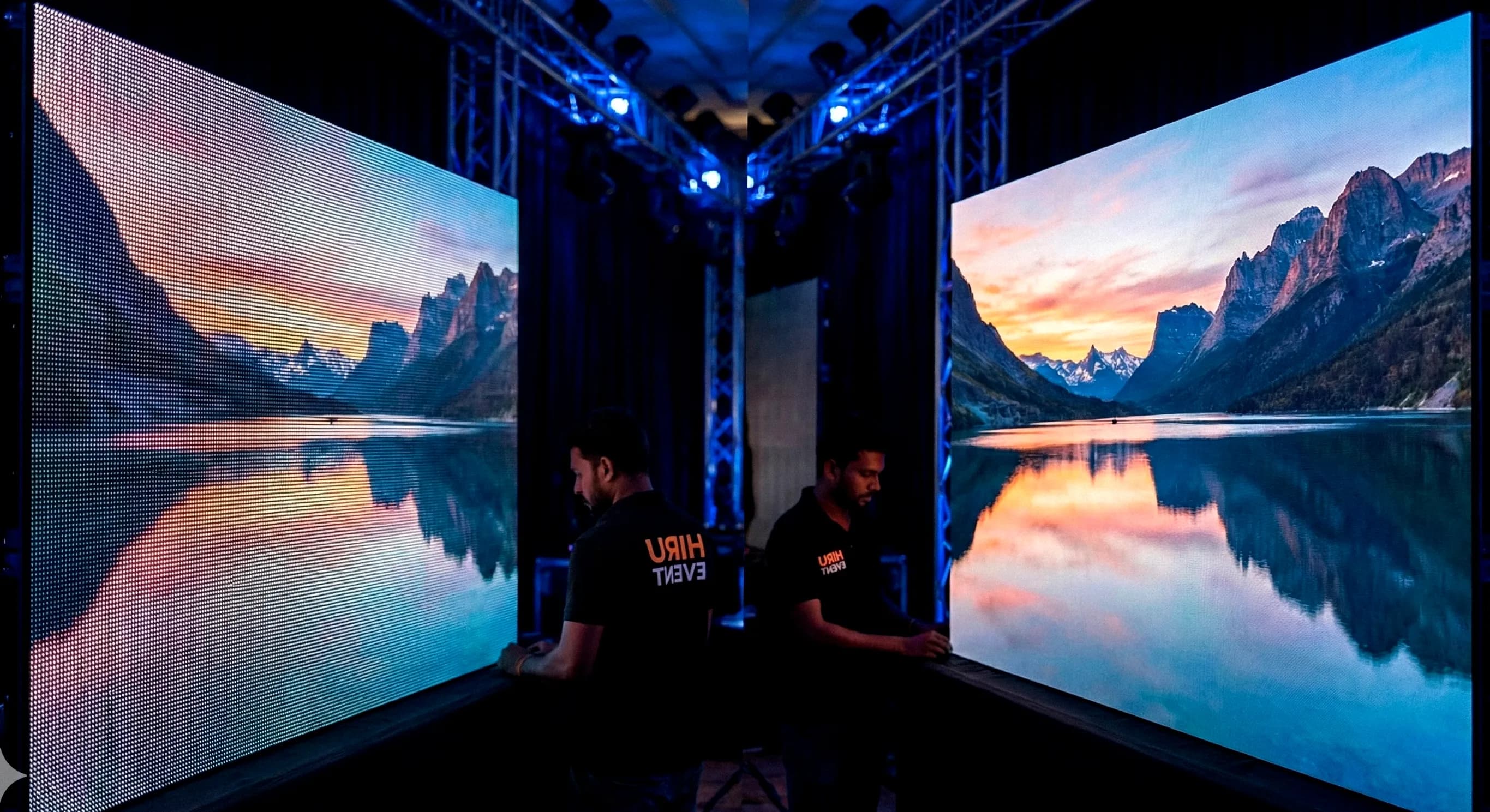
Choosing the wrong LED screen for your event is one of the costliest mistakes you can make. Rent a screen that's too high-resolution, and you're wasting money on features your audience can't see. Choose one that's too low-resolution, and your event looks unprofessional and pixelated.
At Hiru Event, we've supplied LED screens for hundreds of events across Sri Lanka—from intimate corporate gatherings in Colombo to massive outdoor concerts in Anuradhapura. This comprehensive guide will help you understand pixel pitch, viewing distance, brightness requirements, and how to avoid the pitfalls that plague event organizers.
Understanding Pixel Pitch: The Foundation of LED Screen Quality
Pixel Pitch (denoted as "P") is the distance in millimeters between the center of one LED pixel and the center of the adjacent pixel. This single number determines everything about your screen's performance: resolution, viewing distance, cost, and suitability for indoor vs. outdoor use.
Think of pixel pitch like the dots-per-inch (DPI) of a printer. The smaller the number, the tighter the pixels are packed together, resulting in higher resolution and sharper images. However, smaller pixel pitches come with significantly higher costs and may be unnecessary for your specific application.
The Golden Rule of Pixel Pitch Selection
Optimal Viewing Distance = Pixel Pitch (in mm) × 1 Meter
For example, a P3 screen (3mm pixel pitch) looks crystal clear from approximately 3 meters away. View it from 10 meters, and the pixels become visible. View it from 1 meter, and you're paying for resolution you can't appreciate.
LED Screen Comparison: P2 vs P3 vs P4 vs P5
Below is a comprehensive comparison table to help you understand the differences between common pixel pitches used in Sri Lankan events:
| Pixel Pitch | Best Viewing Distance | Ideal Application | Resolution Density | Typical Use Case |
|---|---|---|---|---|
| P2.0 - P2.9 | 1.5 - 3 meters | Indoor (Ultra-HD) | Very High (250,000+ pixels/m²) | Corporate presentations, weddings, TV studios |
| P3.0 - P3.9 | 3 - 5 meters | Indoor/Outdoor | High (111,111+ pixels/m²) | Concert halls, large conferences, covered events |
| P4.0 - P4.8 | 4 - 8 meters | Outdoor (Weatherproof) | Medium-High (62,500+ pixels/m²) | Outdoor concerts, political rallies, sports events |
| P5.0 - P6.0 | 5 - 10+ meters | Outdoor (Large Scale) | Medium (40,000+ pixels/m²) | Stadiums, large outdoor festivals, billboards |
Brightness (Nits): The Critical Difference Between Indoor and Outdoor Screens
Nits measure screen brightness. This specification is non-negotiable when choosing between indoor and outdoor applications.
Indoor LED Screens (800-1,200 Nits)
Indoor screens operate at lower brightness levels because they don't compete with sunlight. Typical specifications:
- Standard Indoor: 800-1,000 nits (suitable for controlled lighting environments)
- High-Brightness Indoor: 1,200-1,500 nits (for venues with windows or ambient light)
- Energy Efficiency: Lower power consumption, reduced heat generation
- Cost: More affordable than outdoor-rated screens
Outdoor LED Screens (5,000+ Nits)
Outdoor screens must be visible in direct sunlight, requiring significantly higher brightness:
- Standard Outdoor: 5,000-6,000 nits (daytime visibility)
- High-Brightness Outdoor: 7,000-8,000 nits (maximum visibility in harsh sunlight)
- Weatherproof Rating: IP65 or higher (protection against dust and water)
- Power Requirements: Higher energy consumption, requires robust power infrastructure
Critical Warning: Never use an indoor screen (800 nits) for an outdoor event. Even on cloudy days, the screen will be nearly invisible to your audience, wasting your entire investment.
Viewing Distance Calculation: A Practical Guide
Calculating the correct viewing distance ensures your audience sees a sharp, professional image. Here's how to do it:
Step-by-Step Calculation:
- Measure the distance from your screen to the farthest audience member
- Divide that distance by 1 meter to get your minimum pixel pitch requirement
- Choose a pixel pitch equal to or smaller than your calculated value
- Example: Farthest viewer is 8 meters away → Minimum pixel pitch = P8 → Choose P4 or P5 for optimal quality
The Hidden Dangers of "Cheap" LED Screen Rentals
In Sri Lanka's competitive event market, you'll find LED screen rentals at wildly varying prices. While cost is important, choosing based solely on price can lead to catastrophic failures that damage your event's reputation.
Common Problems with Low-Quality Screens
- LED Burnout: Individual LEDs fail during your event, creating dark spots and "dead pixels"
- Flickering on Camera: Poor refresh rates cause rolling black lines when videographers record your event
- Color Inconsistency: Different panels show different colors, creating a patchwork appearance
- Signal Dropouts: Unreliable receiving cards cause image freezing or signal loss mid-event
- Power Failures: Inadequate power management systems cause screen shutdowns
What to Look For: Quality Indicators
At Hiru Event, we only stock screens with the following specifications:
- Novastar Receiving Cards: Industry-standard controllers ensuring stable signal processing
- High Refresh Rate ICs (3840Hz): Eliminates camera flicker, essential for broadcast-quality events
- Uniform Color Calibration: All panels match color profiles for seamless visuals
- Redundant Power Supplies: Backup systems prevent total screen failure
Real-World Application Scenarios
Scenario 1: Corporate Award Ceremony (Indoor)
Venue: 5-star hotel ballroom in Colombo
Audience Distance: 2-4 meters
Recommended Screen: P2.5 or P3.0 Indoor (1,000 nits)
Why: Close viewing distance requires high resolution. Indoor environment doesn't need weatherproofing or extreme brightness.
Scenario 2: Outdoor Musical Concert
Venue: Open-air stadium, Anuradhapura
Audience Distance: 5-15 meters
Recommended Screen: P4.8 Outdoor (5,500+ nits, IP65)
Why: Large viewing distances allow for larger pixel pitch. Must be weatherproof and bright enough for daytime/evening visibility.
Scenario 3: Wedding Reception (Indoor)
Venue: Wedding hall, close seating
Audience Distance: 1.5-3 meters
Recommended Screen: P2.0 or P2.5 Indoor (800-1,000 nits)
Why: Very close viewing requires ultra-high resolution for sharp couple photos and videos.
Making the Final Decision: Your Checklist
- ✓Calculate viewing distance from screen to farthest audience member
- ✓Determine if event is indoor or outdoor (this affects brightness and weatherproofing requirements)
- ✓Choose pixel pitch based on viewing distance (use our table above)
- ✓Verify screen specifications (refresh rate, receiving cards, color calibration)
- ✓Confirm power requirements and venue capacity
- ✓Request test footage or previous event photos from your supplier
Conclusion: Invest in the Right Screen, Not Just Any Screen
Choosing the correct LED screen for your event isn't about finding the cheapest option or the highest resolution. It's about matching technical specifications to your specific requirements: viewing distance, environment, and audience expectations.
At Hiru Event, we provide free site visits and consultations to help you select the perfect screen for your event. Our team of engineers will measure your venue, analyze your requirements, and recommend the optimal solution that balances performance, cost, and reliability.
Don't let a poor screen choice compromise your event's success. Contact us today for expert guidance and premium LED screen solutions across Sri Lanka.